
Disclosure: Navicat provided the license and a complimentary subscription. No payment, no pre-publication review or approval on their side. This is what I found using it on real Postgres work — limitations included.
I spent time with Navicat Premium 18 the way I’d actually use it: designing schemas, documenting them, running backups, and poking at the reporting. One caveat up front — I only tested the PostgreSQL side. Navicat talks to plenty of engines, but Postgres is my day job, so that’s where I lived.
Short version: it’s a powerful jack of all trades, and for the right person that’s a compliment.
A much more robust pgAdmin, aimed at engineers
The interface is clean and intuitive — every main action is a button that’s where you’d expect it, and adding a connection takes seconds. It connects to a wide range of engines — MySQL, PostgreSQL, SQL Server, Oracle, SQLite, MariaDB, MongoDB, Redis, and Snowflake — which really matters now that a multi-engine stack is the norm rather than the exception. And it runs on all the major platforms: Windows, macOS, and Linux.

One small thing I appreciated more than I expected: you can organize connections into folders and color-code them. Once you’re juggling prod, staging, and a handful of local databases, that color coding is a genuine guardrail against running the right query against the wrong server.
The key difference from pgAdmin: Navicat doesn’t do server administration. No CPU or system-level knobs. It’s pure developer/engineer, and for my workflow that’s the right call. Honestly, for monitoring, an IDE is the wrong tool.
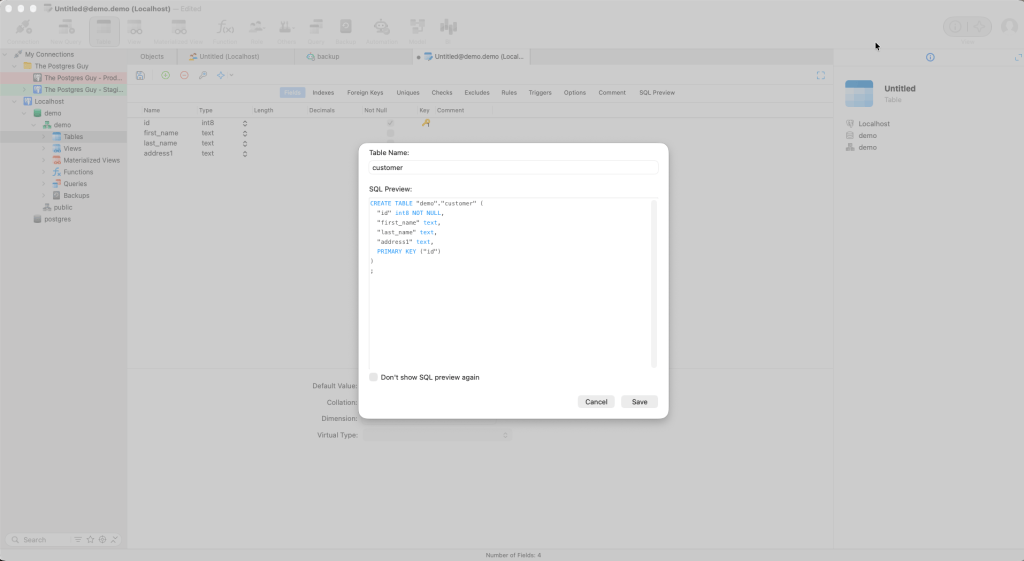
Object creation and docs are painless
Every object type has a creation button, and each dialog walks you through the details thoroughly — a help for Postgres newcomers and a safety net for veterans who don’t want to forget a setting.
Documentation is just as easy: right-click a schema, choose Database Dictionary, follow the wizard, and you get a full object listing. You can also reverse-engineer a database into a diagram. The gap: no data lineage — you get a list of objects, not a map of how data flows.

Backups: handy, but know what they are
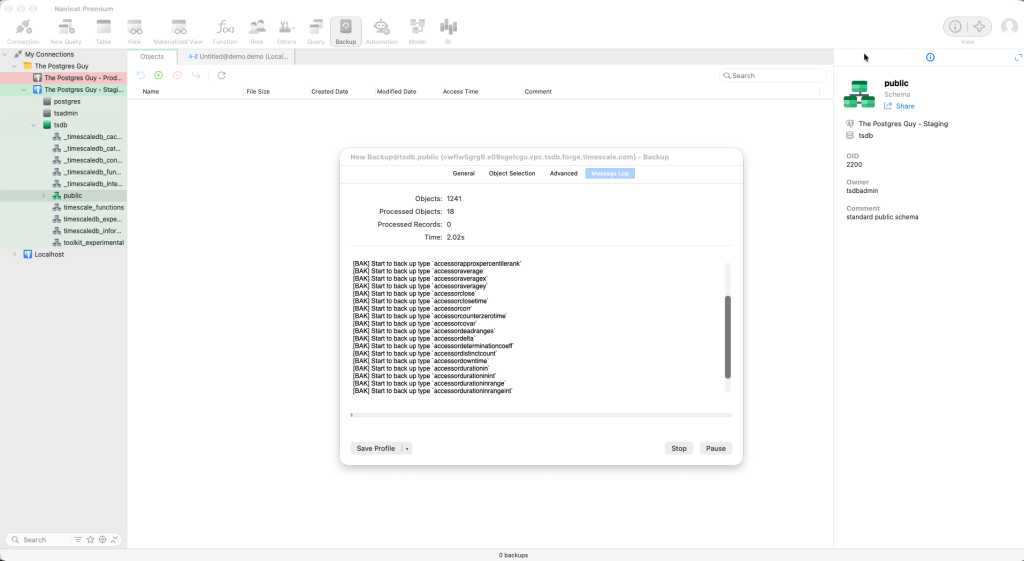
You can run a backup from the IDE — in Postgres, that’s a pg_dump. Don’t mistake it for point-in-time recovery. A logical dump isn’t PITR, and leaning on it like one will hurt when you actually need to recover.
Automation is promising, with an asterisk
Navicat can schedule jobs, which is intriguing. But scheduling ran against my local machine — I had to leave my laptop on for jobs to fire. You’ll need to solve the “where does this run” problem before relying on it. Note too that on the non-Enterprise tier, backup is the only automation available (and the one I tested); broader management automation is Enterprise-only.

The modeler is my favorite feature
Modeling is my favorite feature by a distance. Designing a schema visually is easy, and the tool adapts the objects it offers to the target engine. Two standouts:
- Naming standards — name objects however you like and the IDE enforces your convention on top.
- Glossary — set word replacements (say,
customers→cust) and it applies them consistently.
Models come in four types — Hybrid, Physical, Logical, and Conceptual — but the naming-standard and glossary features only work in Hybrid mode. Worth knowing before you pick a model type.

BI and Cloud
The BI module is surprisingly capable for simple reporting: point it at a data source, set up the charts, build a dashboard. For light reporting it saves you a dedicated BI tool.
Navicat Cloud lets you share connections and collaborate. I didn’t test the Cloud integration myself, so take this as promising rather than verified — but on paper it’s a real draw for teams.

AI: bring your own, but mind the context
The thing I like most here is that you can bring your own AI. I don’t want to be forced into yet another AI subscription, so letting me plug in the model I already use is the right call.
The limitation to go in knowing: the AI isn’t automatically aware of your current schema. It doesn’t see your tables, columns, or relationships on its own. So to get a query or a schema change that actually fits your database, you have to hand it that context yourself — paste in the relevant DDL, describe the tables, spell out the relationships. Skip that and you get generic SQL that doesn’t match what you’ve actually got. It works, but the “AI assistant that just knows your database” experience isn’t here yet — you’re still the one supplying the ground truth.
One more rough edge on the plumbing: the only way to connect your AI is an API connection, where Claude and others support other authentication methods too. I’d rather see an extension model, closer to the VS Code experience, than API-key-only.
Where it needs work
- AI needs more context and better auth. Bring-your-own-AI is great, but it isn’t schema-aware (you feed it context manually), and it’s API-key-only. See the section above.
- No script workspace. I want a pane to open a folder, browse my scripts, and connect each to whatever database I choose. That’s missing.
- No data lineage. You get an object list, not lineage.
Price and verdict
Pricing depends on edition and term:
| Edition | Monthly | Yearly | Perpetual |
|---|---|---|---|
| Enterprise | $99.99/mo | $999.99/yr | $1,999.00 |
| Standard | $74.99/mo | $749.99/yr | $1,499.00 |
| Non-Commercial | $49.99/mo | $499.99/yr | $999.00 |
The automation I found interesting is Enterprise-only, so if that’s part of your case, you’re looking at $999.99/year or $1,999 perpetual. Standard is cheaper ($749.99/yr or $1,499 perpetual) and keeps the modeling, docs, and BI — it just drops that automation. The flat $999 perpetual is Non-Commercial only; check the eligibility rules, because it won’t apply to most working engineers.
Bottom line: Navicat Premium 18 is a jack of all trades, and that’s exactly why it’s good for data-professional teams who have to do a little of everything without committing to complex BI tools or big, expensive database platforms. It won’t replace a dedicated DBA’s admin kit or an enterprise BI stack — and it isn’t trying to.
Thanks to Navicat for the subscription.

Leave a Reply